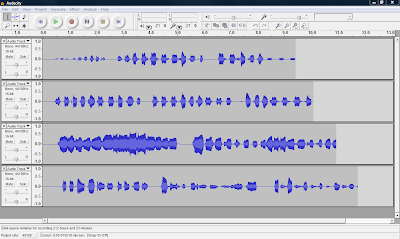
Today I am so excited to let you know that I am now on YouTube. That’s right I have created my own broadcasts or TV shows on YouTube. You can share ideas, how to videos and resources for free on YouTube. To check out my channel, you can click on the picture above or simply click here. As of today, I have posted 13 videos with more to come over the summer.
You can start your own broadcast with a digital camera and using Windows Movie Maker. You can check out the blog article I wrote November 29, 2009 for the free online tutorial. If you have the new Windows Live Movie Maker that comes with Windows 7, then click here for a free video tutorial or click on the video below.
Once you have viewed that tutorial and tried a few of the exercises, you can visit this second video tutorial by clicking here or clicking on the video below.
For more video tutorials click here.
To start your own YouTube channel simply visit: http://www.youtube.com/ and follow the instructions on how to start your own YouTube account. If you are an elementary, middle school or high school student, make sure you get your parents permission before starting your own YouTube channel.
Students remember never to give out any personal information online such as your real name, city, address, age or school. I hope you enjoy my videos I have posted on YouTube. I will be sharing more videos in the future.
If you want to start downloading any YouTube videos, make sure you check out my article I wrote on May 3, 2010. This article will give you all the details you need to start you own library of videos. We will see you next week with another exciting topic. Take care.




 Open Audacity and click on Edit -> Preferences -> File Formats Now this is what you will see. Click on Find Library and follow the instructions. (Here is where you want to find the LAME Mp3 Encoder file, remember it is under


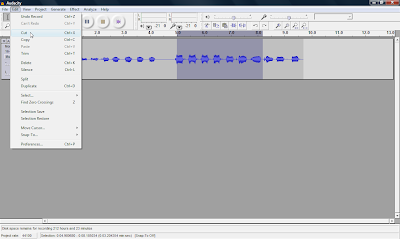 You can also record many multiple tracks to add to your podcast, which is one of the many features you can't do with movie maker 2.